


Your data stays yours.
Financial data is stored locally on your iPhone by default. You only enable iCloud Sync if you want it.
Private by Design
Capture expenses quickly, understand where your money goes and stay in control of your data. No bank connection required.
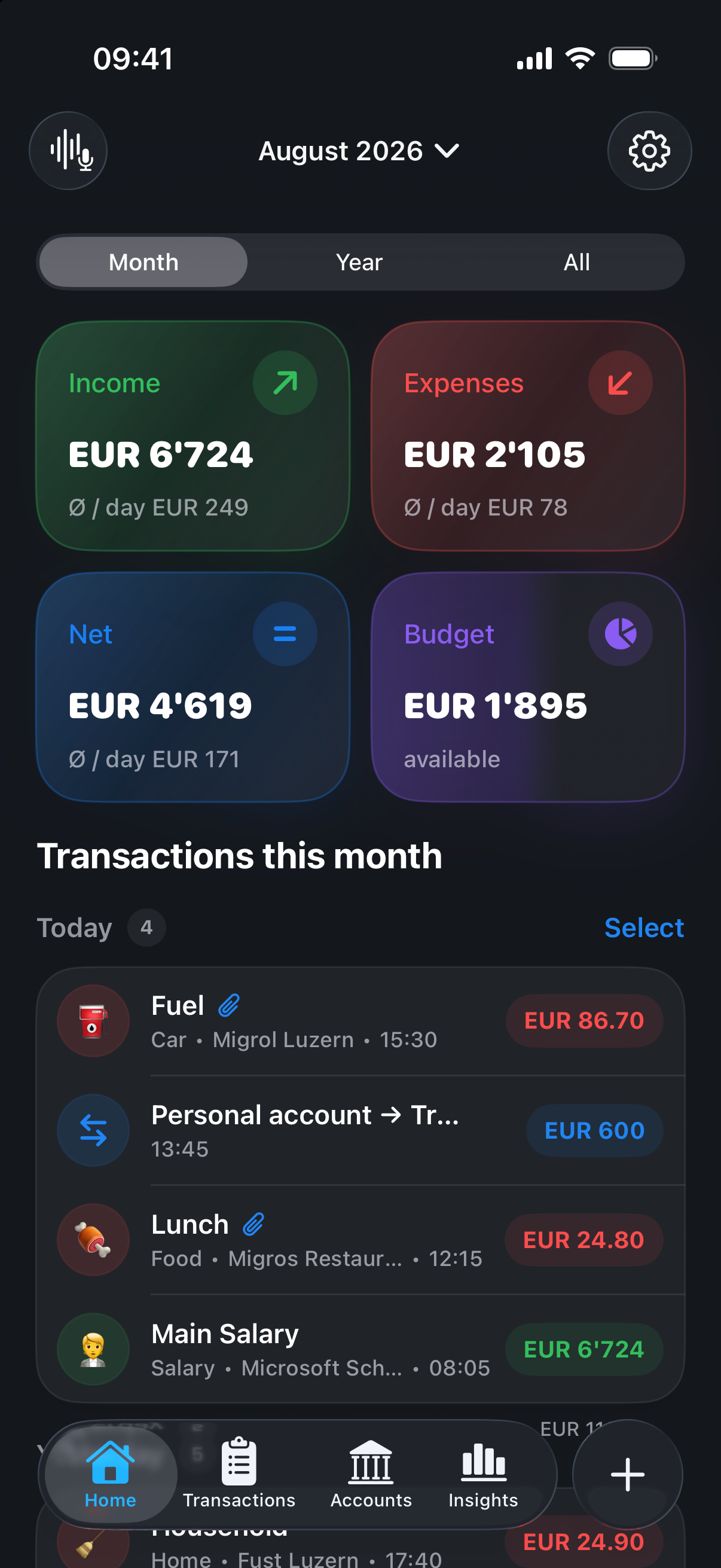
Liqora in action
See how Liqora brings your finances together and helps you keep a clear overview.
What makes Liqora different
Liqora combines a calm, native iPhone experience with the tools you need to truly understand your finances.
Financial data is stored locally on your iPhone by default. You only enable iCloud Sync if you want it.
Enter them manually, use voice or text, or set up screenshot and Apple Pay Shortcut workflows.
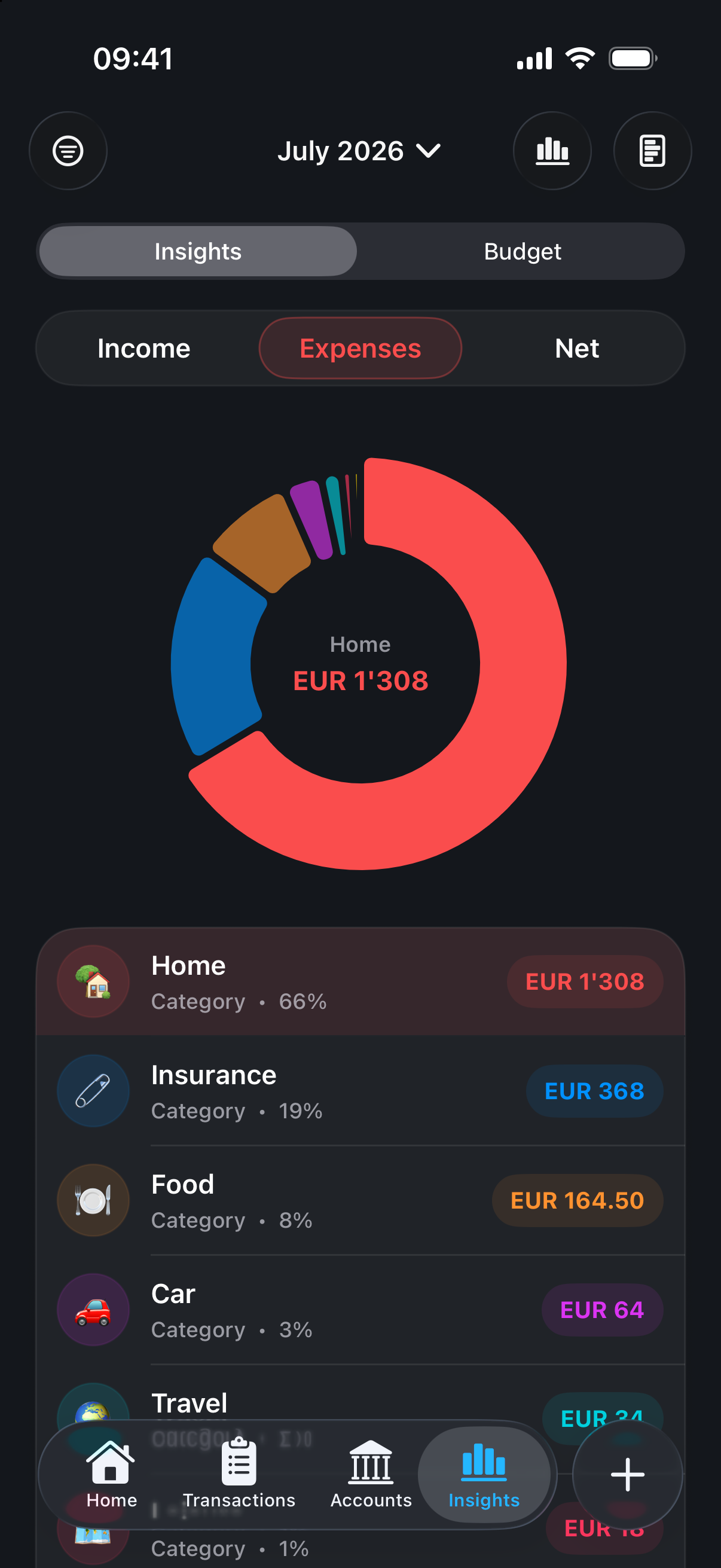
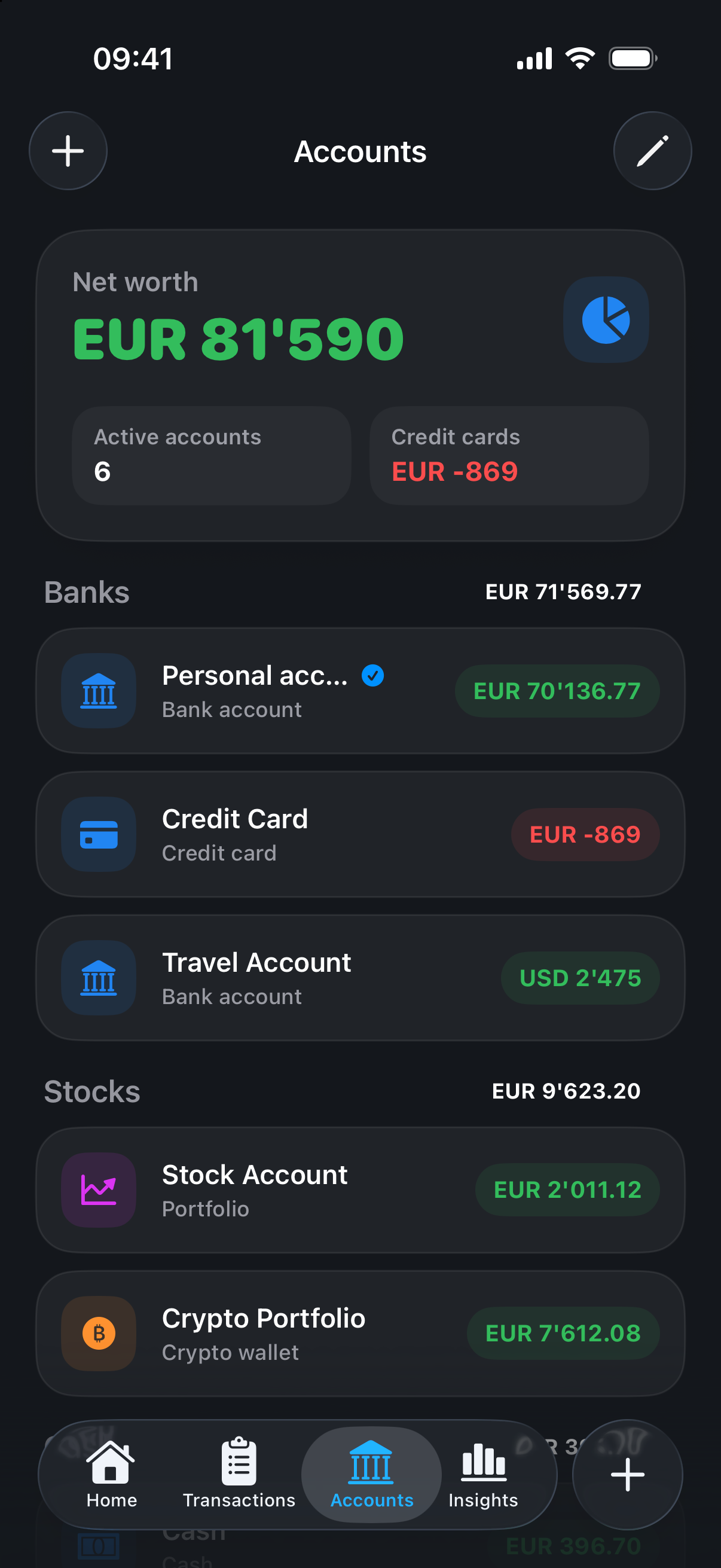
Categories, accounts, trends and Insights bring structure to income and expenses.
At your pace
You decide how much assistance you want. Liqora keeps the journey from expense to insight short and easy to follow.
Enter the amount, category and account directly and clearly.
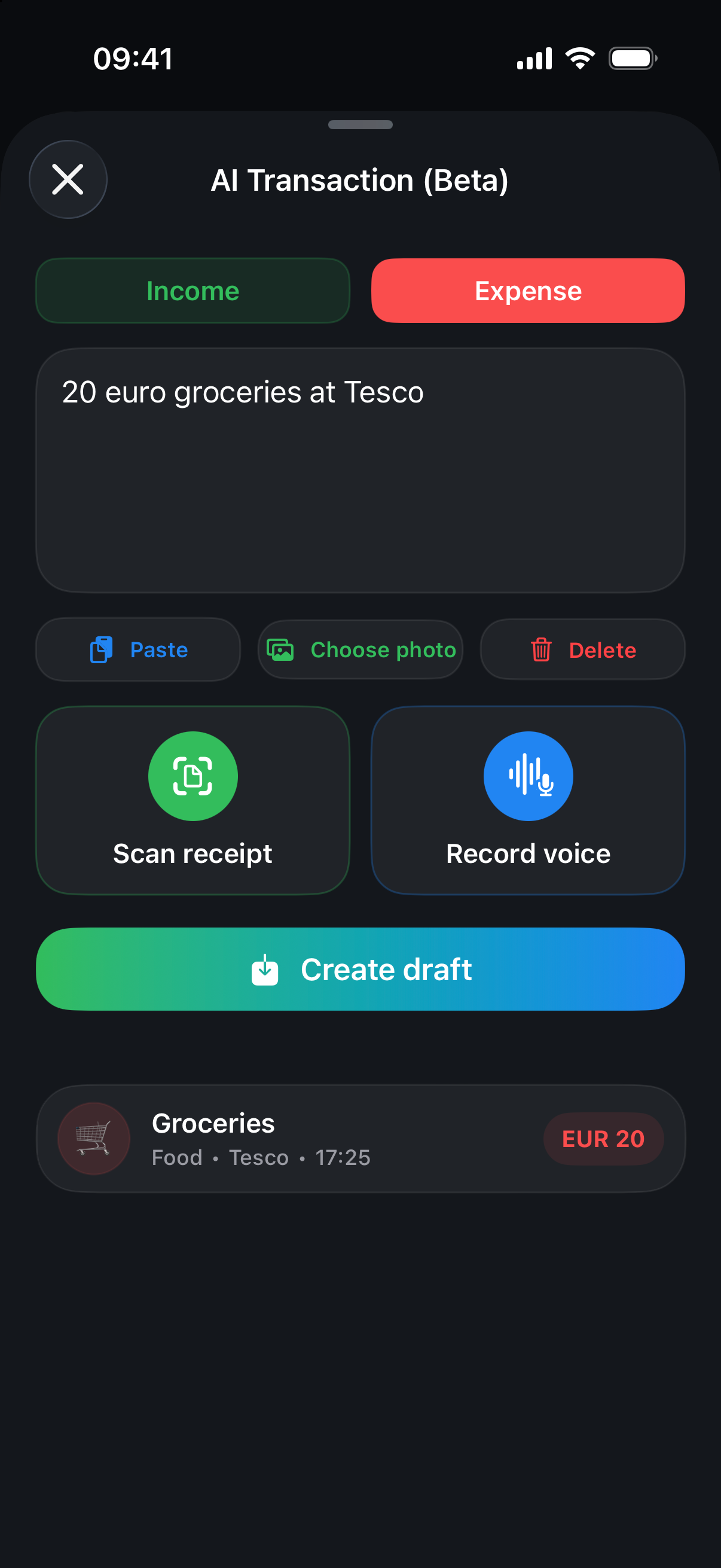
Describe an expense naturally and review it as a draft.
Use screenshot and Apple Pay automations with Apple Shortcuts.
Move data with CSV and keep an additional backup when needed.
A look inside Liqora
From quick capture to clear insights, Liqora keeps the important steps in one calm, easy-to-follow flow.
Privacy without the fine print
Liqora needs no bank connection. Without iCloud Sync enabled, your app data stays on your device.
Liqora grows with you
Ideas, feature requests and honest criticism are welcome. Liqora is built close to the people who organise their finances with it.